> For the complete documentation index, see [llms.txt](https://docs.incogniton.com/llms.txt). Markdown versions of documentation pages are available by appending `.md` to page URLs; this page is available as [Markdown](https://docs.incogniton.com/documentation/chinese-documentation/chang-jian-wen-ti/faq.md).
# 常见问题
在常见问题中找到您的答案
### 入门
我如何开始使用 Incogniton?
要开始使用 Incogniton,您可以从我们的网站[这里](https://incogniton.com/download-incogniton/)下载应用程序。安装应用程序后,从[定价页面](https://incogniton.com/pricing/)选择我们的套餐之一,下订单并创建一个账户,然后登录应用程序。
我的订阅需要等待多长时间才能激活?
订阅在下单后会立即激活。状态为 **Processing** 表示已完成。然而,如果是加密货币支付,可能需要几个小时才能确认付款。
你们提供免费套餐吗?
是的,我们提供一个入门套餐,允许您使用所有 Incogniton 功能创建 10 个免费配置文件。您可以在我们的[定价页面](https://incogniton.com/pricing/)上订购入门套餐。
我可以拥有多个入门账户吗?
不可以。我们会监控多个入门账户;如果我们检测到您使用入门套餐拥有多个账户,这将导致您所有的 Incogniton 账户被封禁。
### 支付
我如何支付?
要支付您的订阅和订单,请按照以下步骤操作:
1. 登录[我的账户](https://incogniton.com/my-account/)
2. 在仪表板中转到 **Orders** 并点击您想支付的订单旁边的 **Pay**。
3. 您将自动进入 **checkout section**,在此填写您的详细信息并进行支付。
你们接受哪些支付方式?
我们接受以下支付方式:
* PayPal
* Visa
* MasterCard
* 多种加密货币
我如何更改支付方式?
您可以通过[我的账户](https://incogniton.com/my-account/)更改支付方式。在结账时或在账户的 **Payment methods** 标签中提前选择首选支付方式。我们也有一个指南,详见[这篇文章](/documentation/chinese-documentation/zhang-hu-guan-li/edit-account-details/change-payment-method.md)。如果您需要更改支付方式的帮助,请联系我们的[支持部门](https://incogniton.com/contact/)。
为什么会增加增值税费用?
法律法规规定,公司向消费者提供的数字服务必须征收增值税(Value-Added Tax)。
公司可以免除这一费用。要利用此免税政策,我们在[这篇文章](/documentation/chinese-documentation/zhang-hu-guan-li/edit-account-details/exempted-from-vat.md)中解释了如何填写您的公司详细信息和税号以获得增值税费用的豁免。
### 订阅
我如何降级或升级我的订阅?
您可以通过在我们的[定价页面](https://incogniton.com/pricing/)选择另一个套餐并通过[我的账户](https://incogniton.com/my-account/)取消当前订阅来升级或降级您的账户。
**重要!** 请注意,您需要联系我们的[支持部门](https://incogniton.com/contact/)以确保将您之前订阅的未使用天数添加到您的新订阅中。
升级后我之前订阅的剩余天数会怎样?
我们可以补偿您之前订阅的剩余天数并将其添加到您的新计划中。请发送电子邮件至 ,我们会为您提供帮助。
我如何取消我的订阅?
您可以通过登录[我的账户](https://incogniton.com/my-account/)取消您的订阅,只需点击订阅,然后点击 **Cancel** 按钮。
我可以暂停我的订阅吗?
如果您不想使用 Incogniton 并且不希望您的订阅续订,您可以向我们发送取消请求。也可以通过[我的账户区域](https://incogniton.com/my-account/)取消。如果您希望将来回来,您只需为同一账户订购新的订阅即可。
如果我想要一个自定义套餐怎么办?
我们提供设置自定义套餐的可能性。请访问我们的[定价页面](https://incogniton.com/pricing/),选择自定义套餐并自定义您想要的浏览器配置文件和团队成员席位数量。
### 其他问题
我如何恢复忘记的密码?
有两种选择:
* **选项 1:** 您可以在网站上找回您的密码。访问[此链接](https://incogniton.com/my-account/)并点击 **Lost your password.** 您将收到一封电子邮件,其中包含一个重置密码的链接。
* **选项 2:** 您可以通过应用程序重置密码。打开 Incogniton 应用程序,点击 **Forgot your password**,您将收到一封包含更改密码链接的电子邮件。
我如何更改我的 Incogniton 邮箱地址?
请从您注册的 Incogniton 邮箱地址发送电子邮件至 ,我们将为您更改。
如何添加已经拥有 Incogniton 账户的团队成员?
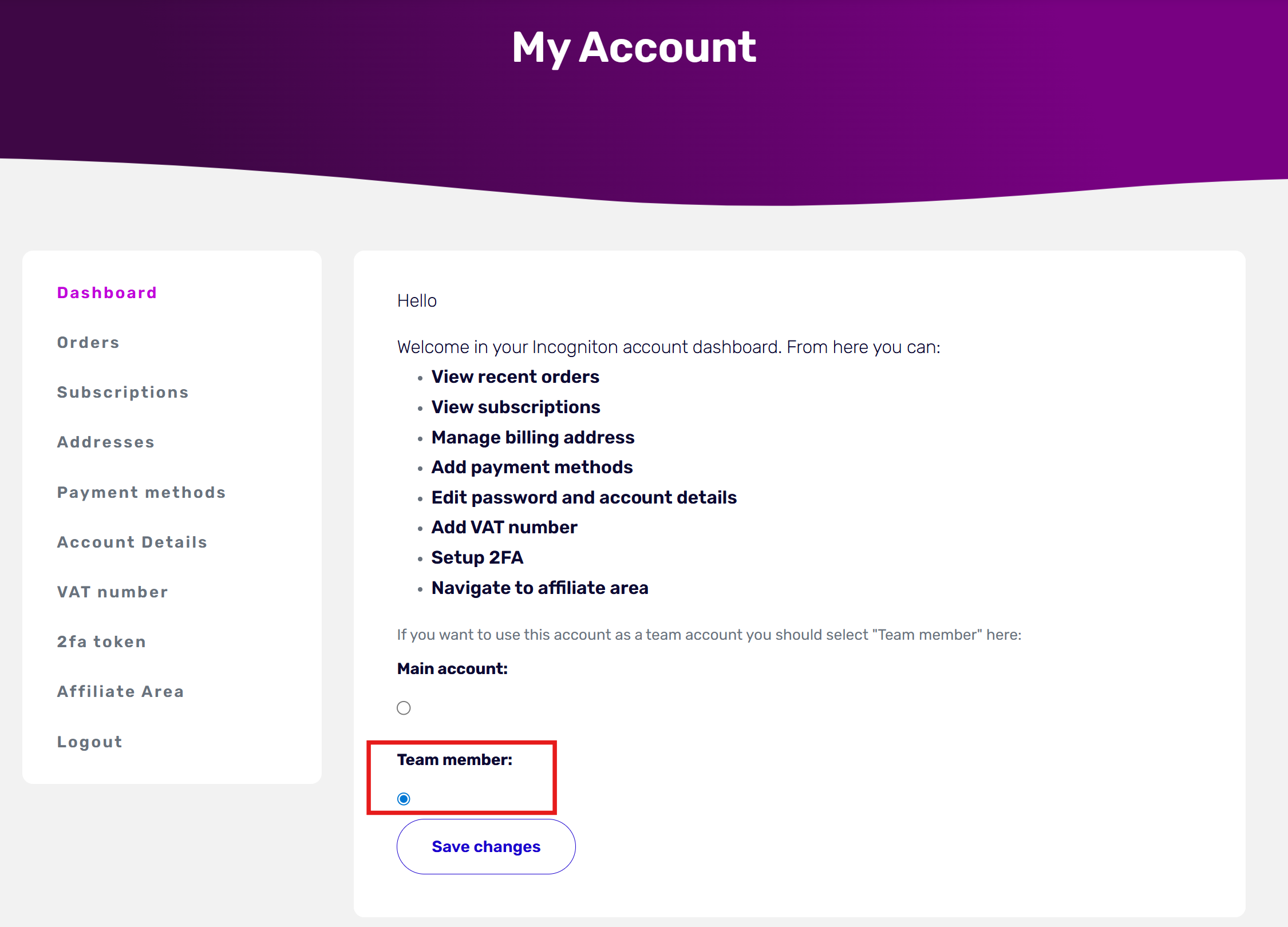
在您的 Incogniton 账户中添加团队成员,并让新用户在[我的账户](https://incogniton.com/my-account/)中将其账户更改为团队成员。您不会丢失任何数据,并且如果需要,可以将其更改回常规账户。
如何在 32 位版本的 Windows 上使用 Incogniton?
1. 下载并安装 64 位 Windows 版本的 Incogniton。
2. 转到 C:\Users\USERNAME\AppData\Roaming\Incogniton\Incogniton\browser\win 并删除该文件夹中的所有数据。
3. 访问 并下载 Incogniton 的 32 位浏览器。
4. 将 32 位文件解压到此文件夹 C:\Users\USERNAME\AppData\Roaming\Incogniton\Incogniton\browser\win
现在您应该可以使用 32 位浏览器与 Incogniton 了。