> For the complete documentation index, see [llms.txt](https://docs.incogniton.com/llms.txt). Markdown versions of documentation pages are available by appending `.md` to page URLs; this page is available as [Markdown](https://docs.incogniton.com/general-questions/troubleshooting/facebook-ad-manager-has-a-white-block.md).
# Facebook Ad manager has a white block
Learn what to do when Facebook Ad manager shows a white block
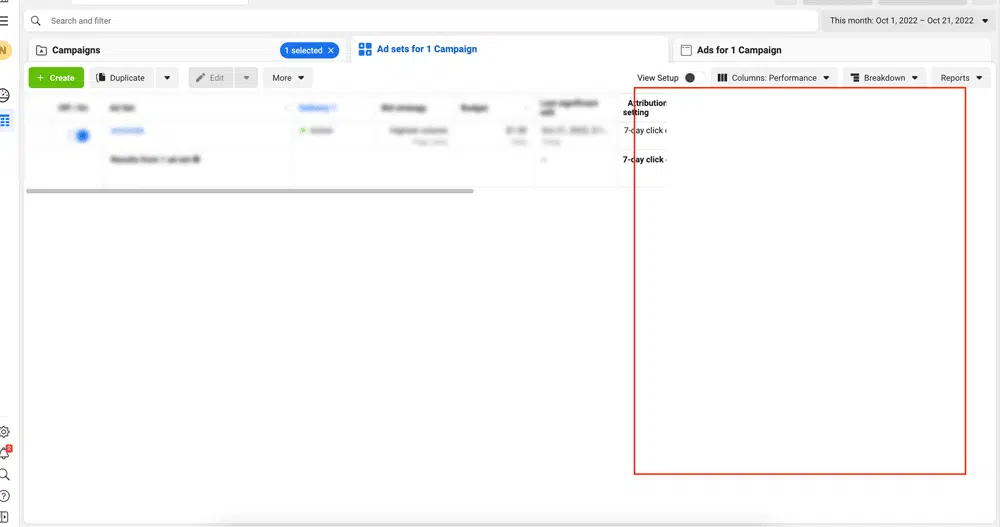
The Facebook Ad manager shows a white block, like the image below. This often means that the screen resolution of the profile is wrong.
This can be solved by changing it to a higher value which has a closer match to your screen. Here's how:
{% stepper %}
{% step %}
### Go to browser profile settings
Click on the 3-bullet icon next to the browser profile and choose **Edit**.
{% endstep %}
{% step %}
### Adjust screen resolution
Go to the tab **Advanced > Browser navigator**, adjust the screen resolution and click on **Save**.
{% endstep %}
{% endstepper %}
{% hint style="info" %}
If you have any additional questions after reading this article, please contact our [support department](https://incogniton.com/contact/).
{% endhint %}