> For the complete documentation index, see [llms.txt](https://docs.incogniton.com/llms.txt). Markdown versions of documentation pages are available by appending `.md` to page URLs; this page is available as [Markdown](https://docs.incogniton.com/account-management/edit-account-details/exempted-from-vat.md).
# Exempted from VAT
How to be exempted from VAT charge as a business outside EU
Legislation and regulations stipulate that digital services provided by companies to consumers must be taxed with VAT (Value-Added Tax). However, there is an exemption for companies. In this guide we explain how to make use of this exemption.
{% stepper %}
{% step %}
### Select a subscription
First of all, select the desired subscription via the [pricing page](https://incogniton.com/pricing/).
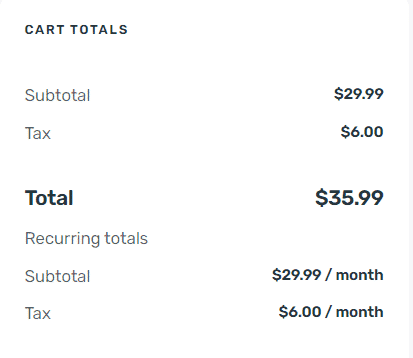
**Note:** During the selection, the amount including VAT is displayed.
{% endstep %}
{% step %}
### Enter VAT data
Go to the check-out page and enter your details on this page. It is important that you enter this information correctly. Select **Yes** at the option **I am registered as a business** and then fill in the VAT data.
When you have entered the data correctly, the VAT charge will be adjusted to **0%**.
{% endstep %}
{% endstepper %}
{% hint style="info" %}
If you still have any questions, please don’t hesitate to contact our [support department](https://incogniton.com/contact/).
{% endhint %}